
At first it was the games that drew me in. Then I found that a few lines of code I typed in myself could turn into a balloon, moving across the screen.
The machine
My father bought me the Commodore 64 when I was seven or eight. It was a home computer from the early 1980s. The computer and the keyboard were one unit: everything sat inside the keyboard’s case. Programs and data were saved on ordinary audio cassettes through a separate tape drive, which was slow but cheap.
Tuning the tape drive
Sometimes a game would not load from the tape. The drive read the cassette with a part called the tape headTape headThe part of the tape drive that reads the recording on the cassette.See in the glossary, which had to sit at exactly the right angle, and a game recorded on another machine could need a slightly different angle.
So we adjusted it by hand. We put the tape in and plugged a cartridgeCartridgeA small module that plugs into the computer. Ours held the program we used to adjust the tape drive.See in the glossary into the computer, a small module that held an alignment program. Then we pushed a small screwdriver into a hole in the tape drive. Lines ran down the screen from the top, and we turned the screw until they came together and straightened. Then the drive was set for that game. The next game might not load with the same setting, and we had to adjust it again.
Learning from the guide in the box
I learnt BASICBASICA simple programming language that was built into many home computers of the 1980s. You type numbered lines of instructions and the computer runs them in order.See in the glossary from the user’s guide (opens in a new tab) that came in the box. BASIC was the Commodore’s own programming language. You switched the computer on, a blue screen appeared with the word READY, and you could start typing a program straight away.
I copied programs from the guide line by line, then entered RUN to see what happened. What fascinated me was that a few lines I had typed could become a picture on the screen.
The balloon
One program in the guide’s chapter on spritesSpriteA small picture that the graphics chip draws separately from the background; a program moves it by changing its coordinates. On the Commodore 64 a sprite is 24 dots wide and 21 dots high, and its shape takes 63 bytes.See in the glossary is called “UP, UP, AND AWAY”. It draws a hot-air balloon and moves it diagonally down the screen from the top left. Just before it reaches the bottom it vanishes, appears again in the corner and starts over, like a screensaver.
A few pages later, the guide adds one line that makes the balloon twice as wide and twice as tall. I typed in the version with the bigger balloon. Of all the programs in the guide, that’s the one I remember best. When the balloon started to move, I was thrilled.
I ran the program again on a modern computer in VICE (opens in a new tab), an emulatorEmulatorA program that imitates an old computer on a new one, so its software runs as it did on the original machine.See in the glossary that behaves like a Commodore 64. This clip is that run.
The program
This is the program as it is printed in the guide, with the line from page 74 that doubles the balloon’s size:
1 REM UP, UP, AND AWAY!
5 PRINT "{CLR/HOME}"
10 V= 53248  : REM START OF  DISPLAY CHIP
11 POKE V+21,4 : REM ENABLE SPRITE 2
12 POKE 2042,13  : REM SPRITE 2 DATA FROM 13TH BLK
20 FOR N = 0 TO 62: READ Q : POKE 832+N,Q: NEXT
25 POKE V+23,4 : POKE V+29,4: REM EXPAND
30 FOR X = 0 TO 200
40 POKE V+4,X: REM UPDATE X COORDINATES
50 POKE V+5,X: REM UPDATE Y COORDINATES
60 NEXT X
70 GOTO 30
200 DATA 0,127,0,1,255,192,3,255,224,3,231,224
210 DATA 7,217,240,7,223,240,7,217,240,3,231,224
220 DATA 3,255,224,3,255,224,2,255,160,1,127,64
230 DATA 1,62,64,0,156,128,0,156,128,0,73,0,0,73,0
240 DATA 0,62,0,0,62,0,0,62,0,0,28,0
If you’re typing the program yourself, use 5 PRINT CHR$(147) for line 5 to clear the screen.
Listing from the Commodore 64 User’s Guide (opens in a new tab) (Commodore Business Machines, 1982), chapter 6, page 71; line 25 is from page 74.
How it works, in plain terms:
- The balloon is a sprite: a small picture that the computer’s graphics chip draws separately from the background. The program moves the balloon by changing its position on the screen.
- Line 10 gives a name to the address where the graphics chip begins. Each POKEPOKEA BASIC command that writes one number into one memory address. On the Commodore 64 it is the usual way to control graphics and sound from BASIC.See in the glossary writes one number into one memory address, and that is how BASIC talks to the chip.
- Line 20 reads the 63 numbers in the DATA lines and stores them in memory. They are the balloon’s shape: a grid 24 dots wide and 21 dots high, where each number turns eight dots on or off.
- Line 25 sets two registersRegisterA small storage place inside a chip that holds one number. Writing a number into one of the graphics chip’s registers changes what it draws, such as a sprite’s position or size.See in the glossary of the chip: register 23 doubles the balloon’s height and register 29 doubles its width.
- Lines 30 to 60 count from 0 to 200. The program adds one to both coordinates each time, so the balloon moves down and to the right. Line 70 sends it back to the start.
Kikstart II
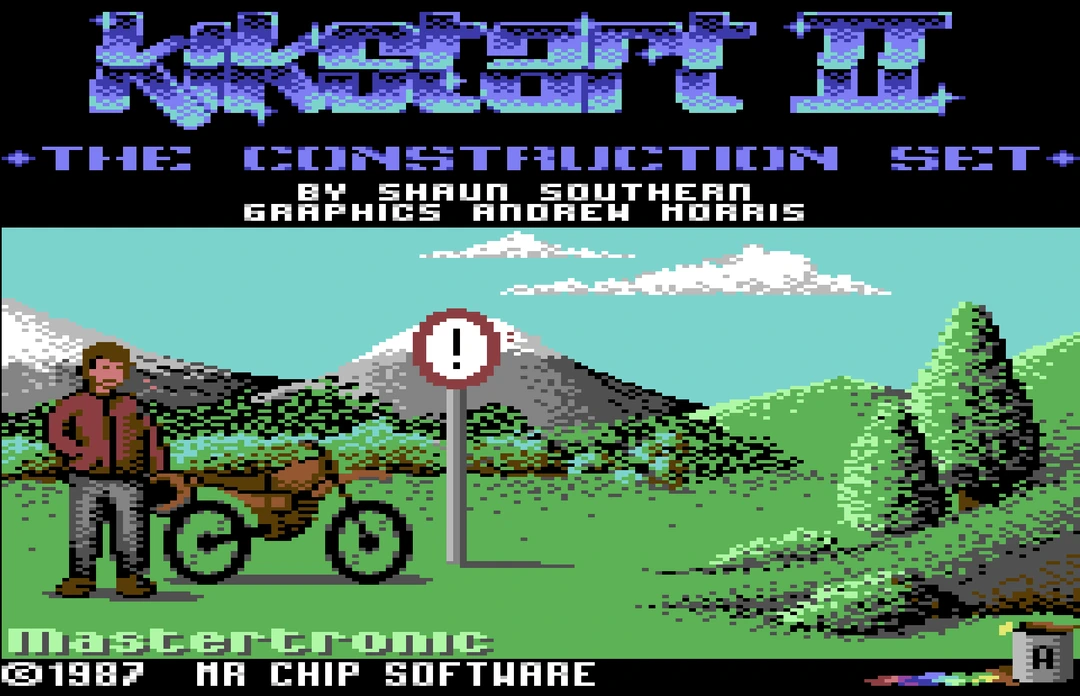
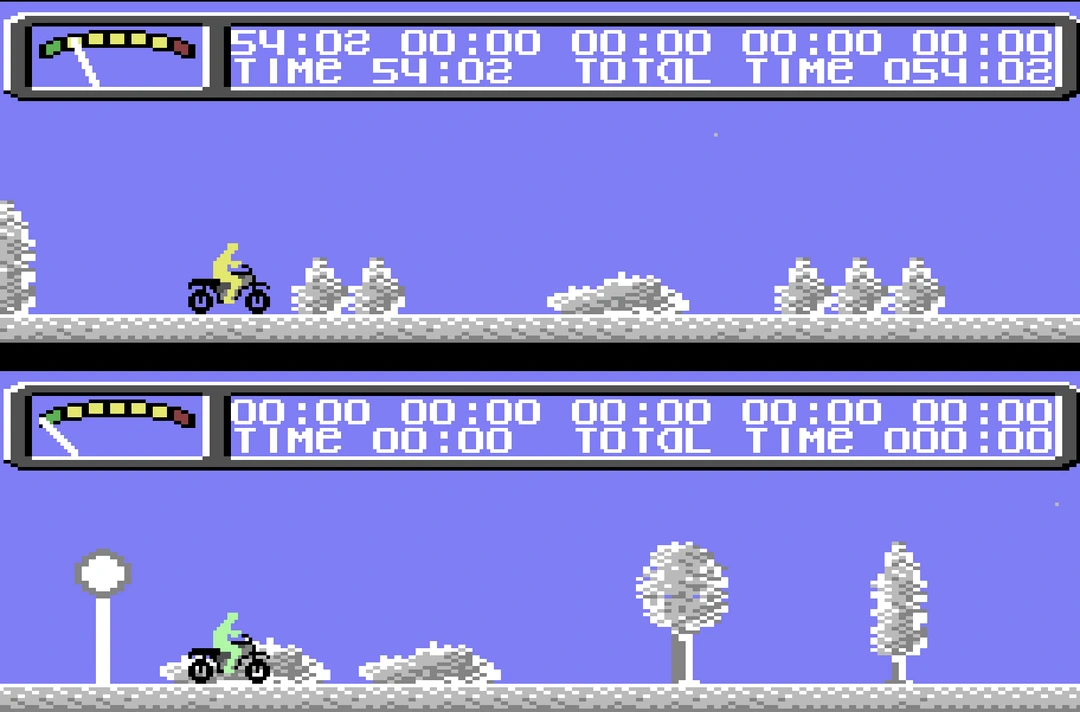
Of the games, the one I loved most was Kikstart II (opens in a new tab), a motorbike trials game by Shaun Southern, published by Mastertronic. Its Commodore 64 version came out in 1987 (opens in a new tab).
I remember the almost-white bike coming in from the left. You saw the rider side-on as he jumped and turned to clear the obstacles.
My father’s rules
My father set a time limit on how long I could play, so I played most when he was out and I could relax. He had another rule: no very violent games and no scary ones. I loved the scary ones.
After the Commodore
My next computer was a 486 running MS-DOSMS-DOSMicrosoft’s text-based operating system, which most PCs ran before Windows. You typed commands at a prompt to run programs and manage files.See in the glossary. Back then, we called PCs “486s” after the processors they used. Intel called its next generation Pentium (opens in a new tab). On that PC I started working, writing programs and playing games.
There was a game on it called Alone in the Dark. At night I waited for my father to go to sleep, then sat in my room and played it. I wore a headset so I could hear the game without the sound carrying. I was too scared to play with the light off, so I pushed a few clothes against the gap under the door to keep the light in. Otherwise my father might see it from outside and realise I was still awake at two in the morning.
I also went to 3D Max classes to learn 3D animation; it was version 3.5 then. My first official computer certificate was in advanced MS-DOS.
What stayed with me
From then on I was drawn to computers. As a child I hoped to study them when I grew up, and I did: I studied computing at university, and in and out of university I have kept learning. Computing never stops changing, and I have always liked that about it, even when the pace of change was hard and tiring. Most of all I enjoyed getting to know its different parts, from software to hardware.
Those were good days.
Glossary
- Tape head
- The part of the tape drive that reads the recording on the cassette.
- Cartridge
- A small module that plugs into the computer. Ours held the program we used to adjust the tape drive.
- BASIC
- A simple programming language that was built into many home computers of the 1980s. You type numbered lines of instructions and the computer runs them in order.
- Sprite
- A small picture that the graphics chip draws separately from the background; a program moves it by changing its coordinates. On the Commodore 64 a sprite is 24 dots wide and 21 dots high, and its shape takes 63 bytes.
- Emulator
- A program that imitates an old computer on a new one, so its software runs as it did on the original machine.
- POKE
- A BASIC command that writes one number into one memory address. On the Commodore 64 it is the usual way to control graphics and sound from BASIC.
- Register
- A small storage place inside a chip that holds one number. Writing a number into one of the graphics chip’s registers changes what it draws, such as a sprite’s position or size.
- MS-DOS
- Microsoft’s text-based operating system, which most PCs ran before Windows. You typed commands at a prompt to run programs and manage files.