
Readela is a small browser extension that makes long answers on ChatGPT and Claude easier to read, without changing a word of the text. It started with one irritation: AI answers that mix Persian and English often come out with the wrong paragraph direction. A Persian sentence that opens with an English term is laid out left to right, list markers land on the wrong side and full stops jump to the wrong end. I was copying answers into a word processor just to read them. Readela removes that step, and adds a few reading aids around it.
Install for Chrome (opens in a new tab) · Install for Firefox (opens in a new tab)
Free, for ChatGPT and Claude in desktop Chrome and Firefox.
Get started
- Install Readela from the Chrome Web Store or Firefox Add-ons.
- Open a conversation on ChatGPT or Claude.
- Choose the Readela icon in your browser's toolbar and pick your reading settings. They apply straight away.
The problem with mixed-direction text
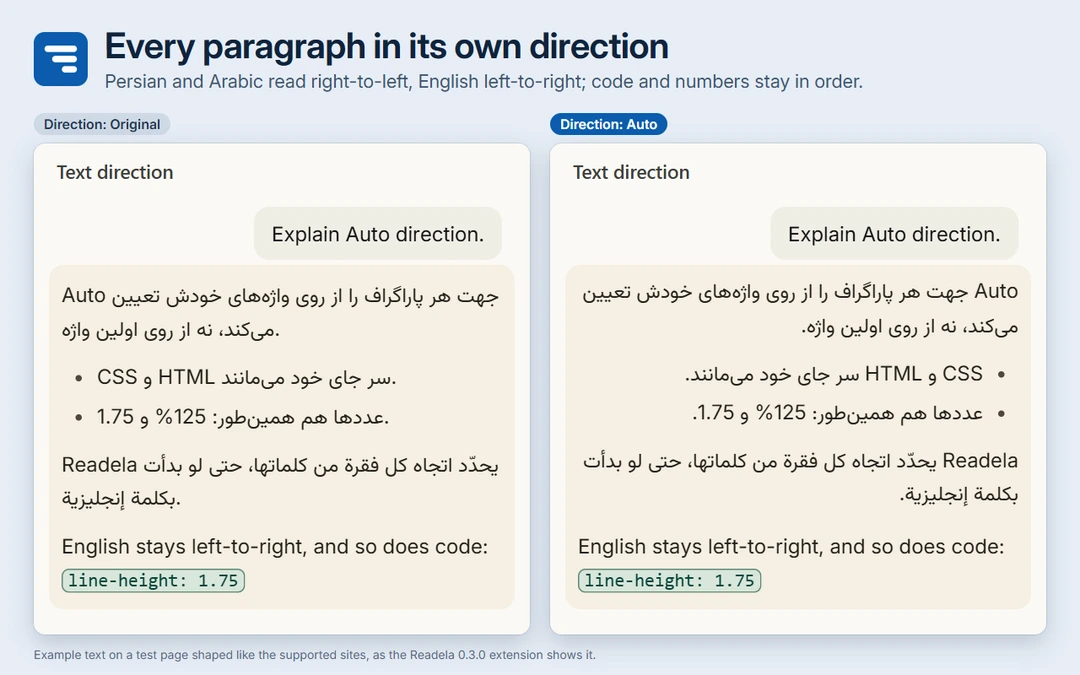
When a page uses automatic text direction, the browser generally relies on the first character with a strong direction. That works for a paragraph written in one language. It fails for the way many people now write and read: a Persian paragraph that starts with "ChatGPT" or "Python" is laid out left to right, so the whole paragraph runs backwards for its reader. Lists and tables suffer most, because each item can be judged on its own and the markers end up scattered.
Readela looks at the whole paragraph instead. A block reads right to left when at least 40% of its words are in a right-to-left script, whatever the first word is. A right-to-left sentence full of terms in Latin letters is recognised too, from where its right-to-left words stand. Lists and tables are decided as a unit, so markers, indentation, column order and text agree. Code and mathematics stay left to right and are not counted.
What it does
- Text direction: Auto by default, with RTL and LTR when you want to decide yourself.
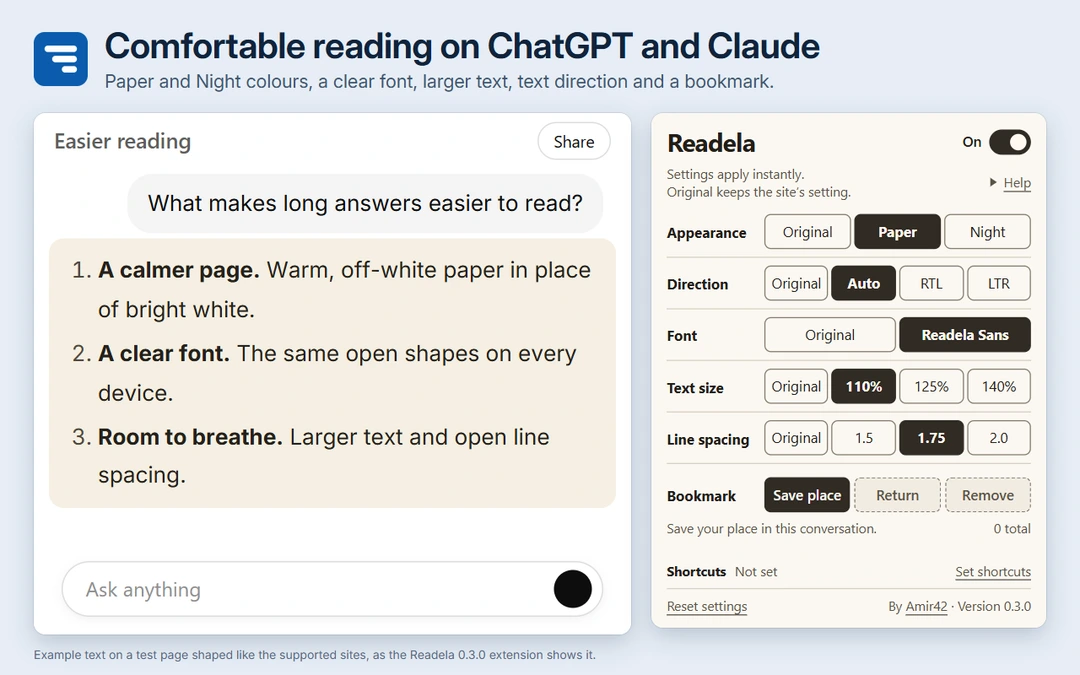
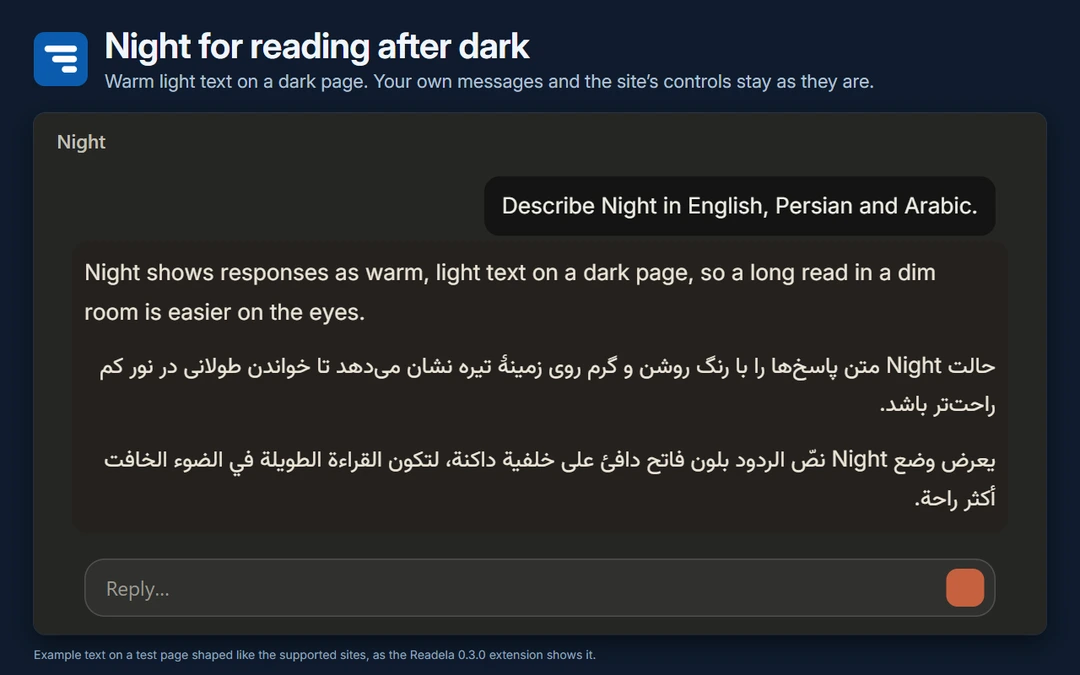
- Paper and Night: warm light or warm dark colours for the text of responses, whatever theme the site itself is in. Your own messages keep the site's colours, and the site's controls and code blocks keep its look. Primary text is held at a contrast ratio of at least 10:1.
- Readela Sans: one clear reading font that ships with the extension. Latin text uses Inter, and Persian and Arabic use Vazirmatn. Other scripts use your device's sans-serif font.
- Text size and line spacing: up to 140% text and line spacing of 1.5, 1.75 or 2.0.
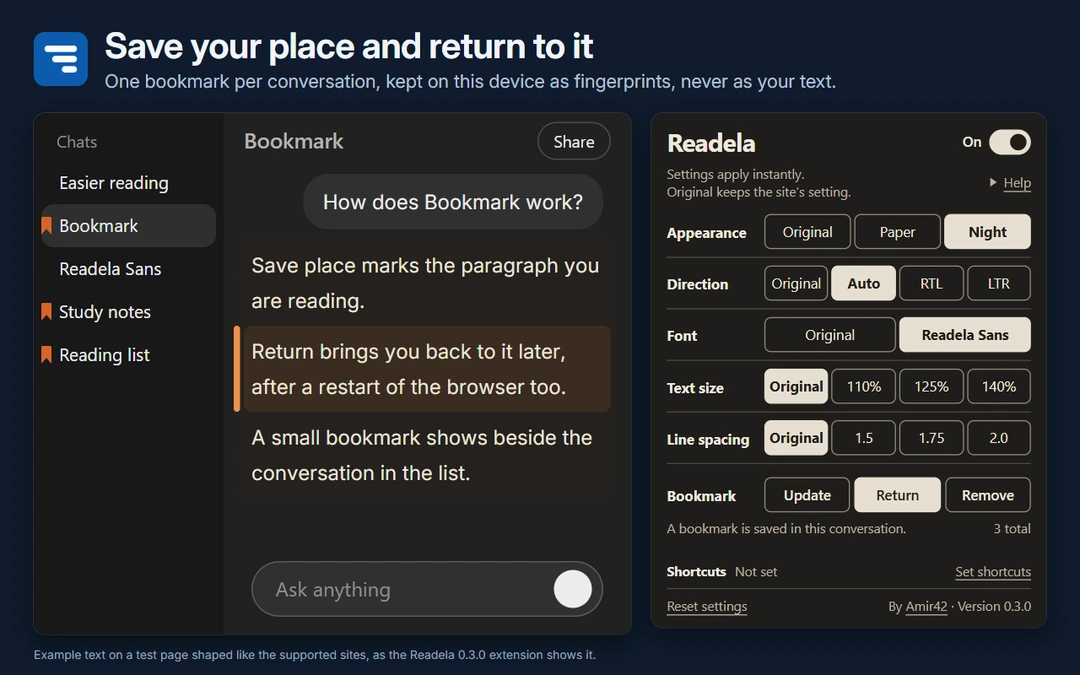
- Bookmark: save your place in a conversation and return to it later. There is one bookmark per conversation, for up to 1000 conversations, and a small marker appears beside each of them in the site's own list. Shortcuts are optional: you assign them in your browser, and Readela sets no key of its own.
- An Original choice for every setting, and an off switch that returns the page exactly to the site's own presentation, with your settings and bookmarks kept.
A bookmark that never guesses
Long AI conversations are hard to come back to. Save place keeps the first paragraph of a response that begins in view, and Return brings it back into view later. It works after a reload, after a browser restart, and when the site has not yet loaded that part of a long conversation.
To choose the exact paragraph, select some of its text before you choose Save place. In a very long conversation, finding an older part can take more than one try: choose Return again.
A bookmark is trusted only inside the response it was saved in, so the same sentence in another answer is never taken for it. If the saved place cannot be identified confidently, Readela leaves the page where it is, says so, and keeps the bookmark until you replace or remove it.
Private by design
Readela reads the conversation on the page only to decide direction, apply your reading settings and find your bookmark. It has no server, no analytics or tracking and no remote code, and the extension itself makes no network request. Only your preferences and bookmarks are stored, on your device. A bookmark is kept as hashes and a few position numbers, never as your text, a title or the address of the conversation.
It asks for two permissions: access to chatgpt.com and claude.ai, and local storage. ChatGPT and Claude still handle your conversations on their own servers, under their own privacy policies, with or without Readela.
How it was built and checked
Readela is plain JavaScript on Manifest V3, with one shared codebase for Chrome and Firefox and a small adapter for each supported site. It is light enough to leave on: switched off, it does nothing in a page, and while the page's content is not changing it runs nothing either (in Firefox before version 147, one small check a second).
Automated tests drive real Chrome and Firefox against test pages shaped like the two sites. They cover direction in Persian, Arabic, Hebrew, English and mixed text, the reading colours in light and dark, the bookmark across reloads and restarts, and confirm that the extension makes no network request. The store packages are built from a tagged commit with no manual step and no minification, and a rebuild gives the same files, so anyone can check that what the stores carry matches the public source.
Limits
- Readela works on chatgpt.com and claude.ai only, in desktop Chrome and Firefox.
- Auto direction is a word-share rule. A paragraph split almost evenly between scripts can be judged differently from how you read it; RTL and LTR are there for that.
- A web address that is not a link is not always kept apart from the right-to-left text around it.
- The popup is in English.
- Microsoft Edge and Safari are possible later platforms, not available yet.
Get Readela
Readela is free and open source under the MIT licence.
- Install for Chrome (opens in a new tab)
- Install for Firefox (opens in a new tab)
- Source code on GitHub (opens in a new tab)
- Report a problem (opens in a new tab)
Readela is an independent project and is not affiliated with OpenAI or Anthropic.